Send a virtual hug they can feel
A hug link for when you can’t be there. Two little friends stand at opposite edges of the screen; they press and hold, the two run to each other, and the hug gets tighter the longer they hold, with hearts and a gentle buzz on phones that vibrate. Then your message opens. Free, no app, no sign-up.
Make your virtual hug
They press and hold, two friends run to each other, and the hug gets tighter the longer they hold. Free, no sign-up, about 30 seconds.
What they see on their phone
Screenshots of a real virtual hug link, opened on a phone.
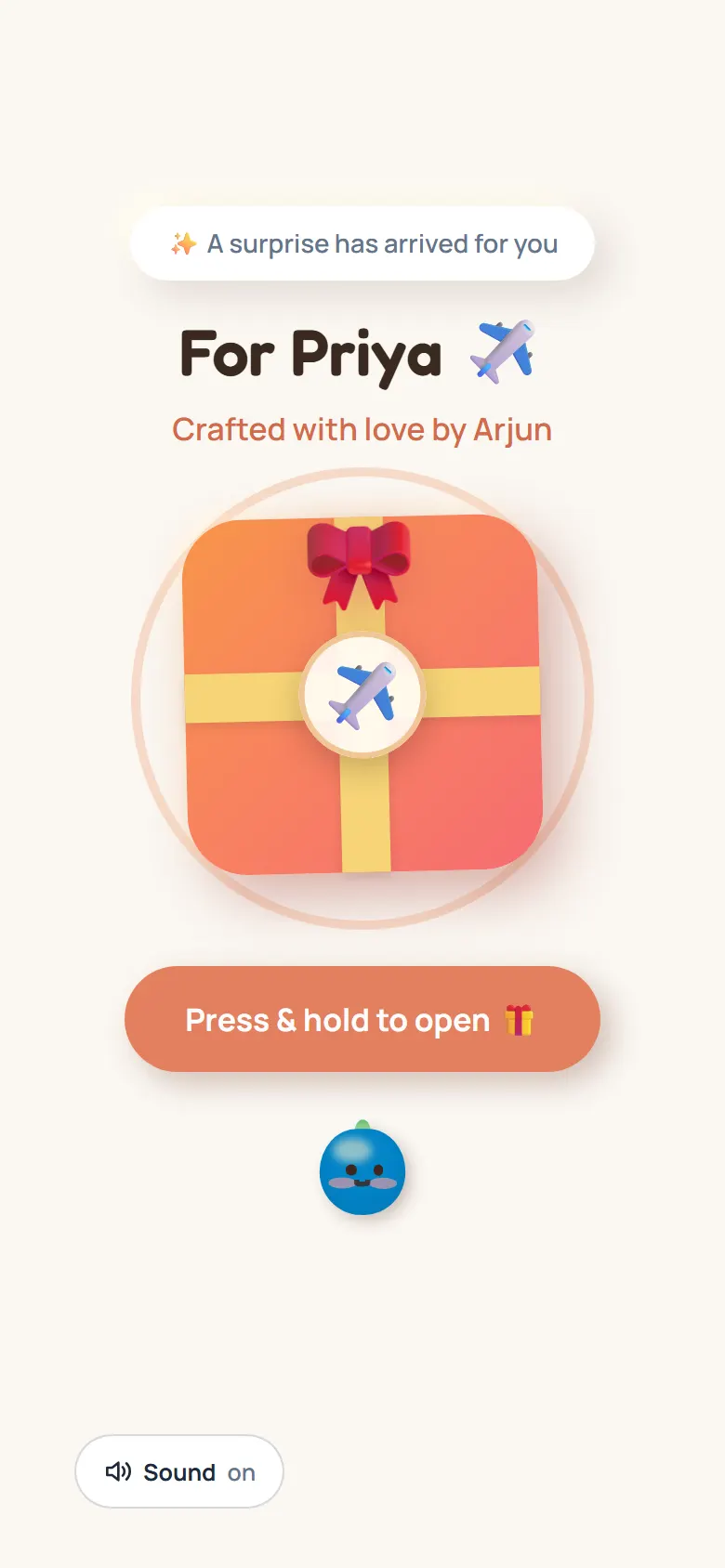
They press and hold the wrapped gift 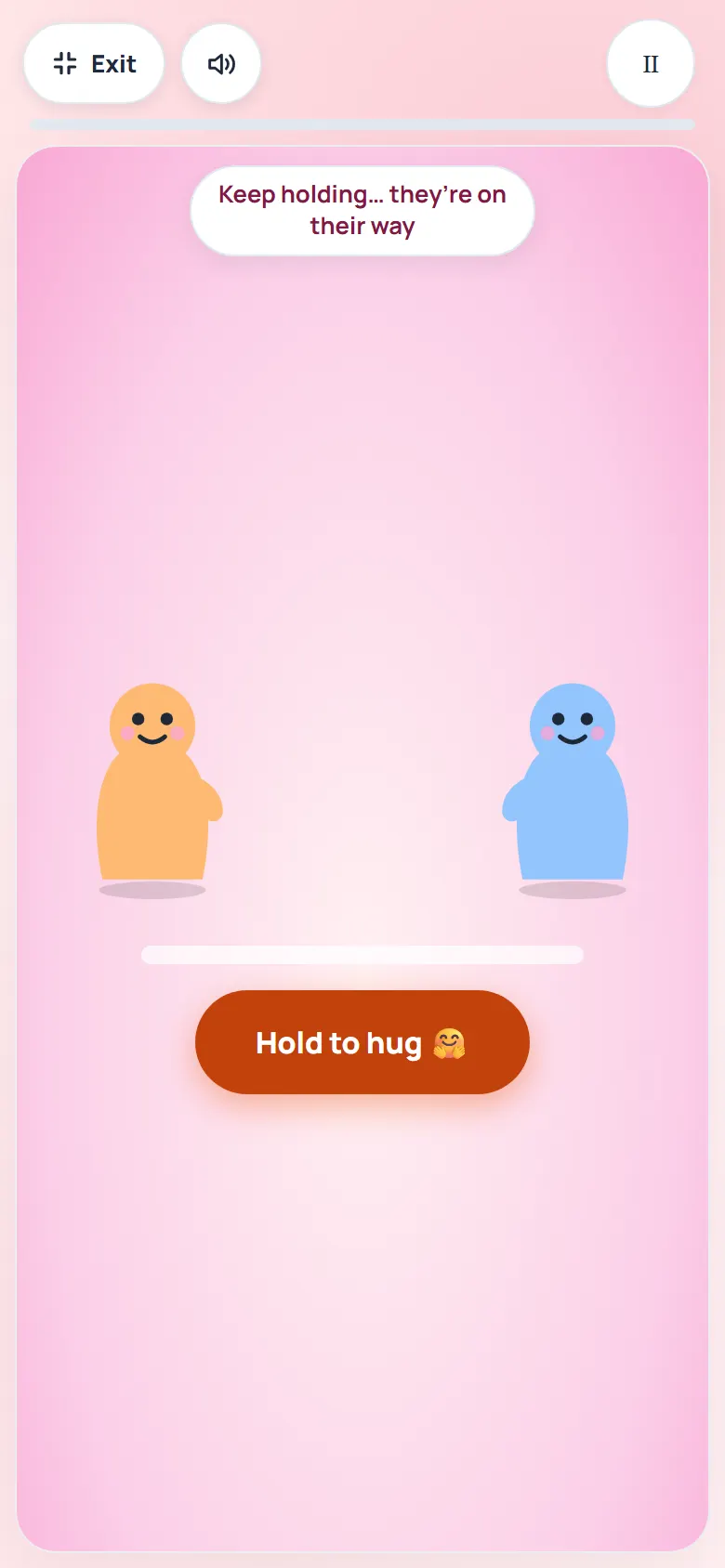
They hold the button and the friends hug 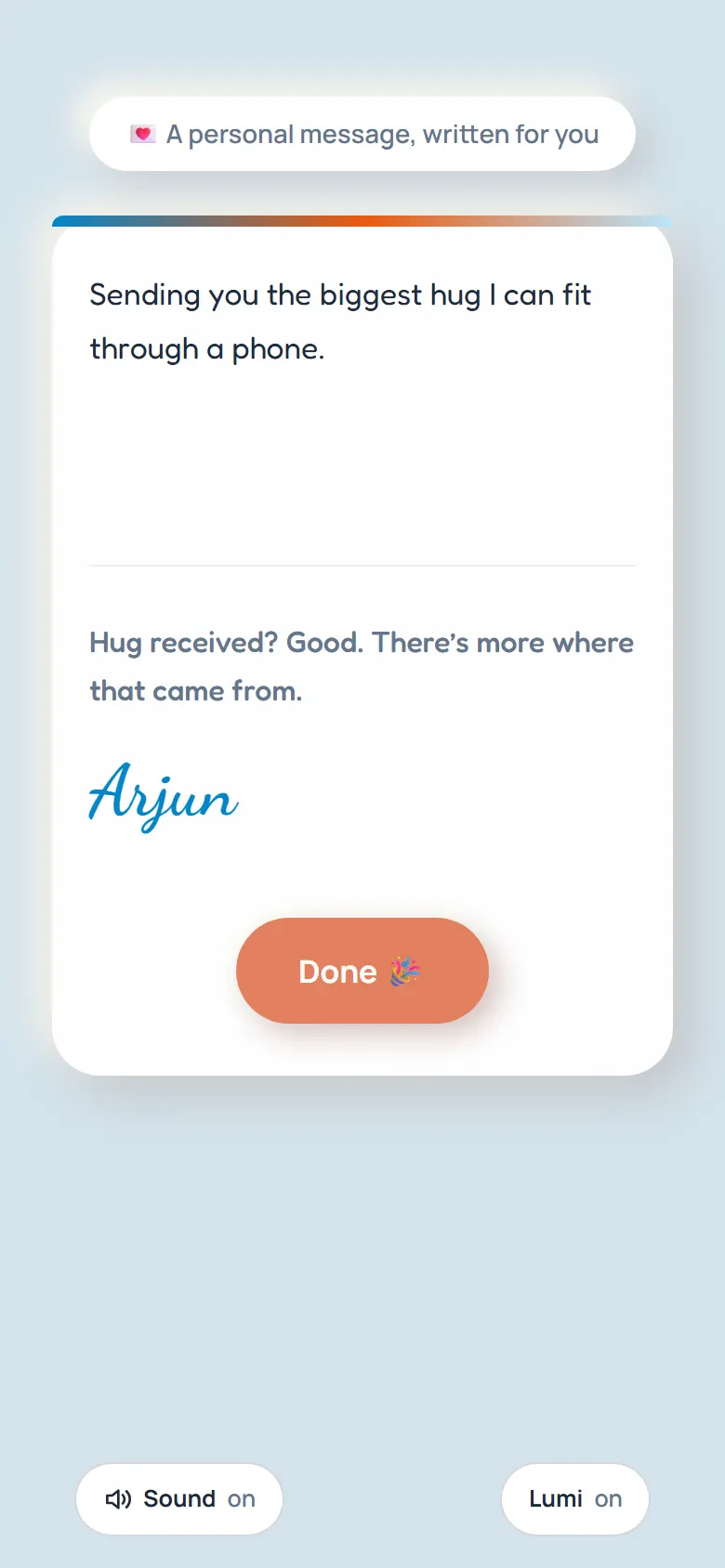
Your message opens
How to send a virtual hug
- Choose who it is for. Someone you miss, a friend having a hard week, Mom or Dad, or someone you owe an apology.
- Write your message. Their name and yours, your words or a ready line, and up to three photos.
- Send the link. Send it on WhatsApp. They hold the button and get their hug.
What they see when they open it
Every surprise link starts the same way: a wrapped gift with their name on the tag, which they press and hold to open. Inside, two round little friends stand far apart on a soft pink background, with a “Hold to hug” button.
While they hold it, the two run towards each other. Once they meet, the hug squeezes tighter, hearts float up and the phone gives a small buzz every few moments. Let go early and they drift back a little, never all the way. After about three seconds of holding, the hug is delivered and your message opens.
When a hug says it best
Long distance: a hug at the end of a long day apart. A hard week: no advice, just a hug. After an argument: a soft way to say sorry before you talk. Exams, a hospital stay, a new city: anywhere a message feels too small and a call is not possible.
On a keyboard, holding Space or Enter works the same as holding the button.
Questions about sending a virtual hug
What does a virtual hug mean?
A virtual hug is a way of saying “I’m with you” when you can’t be there in person: comfort on a hard day, a hello across a distance, or making up after an argument. Sending one says you are thinking of them and wish you could hug them for real.
Does it really vibrate?
On phones that allow it (most Android phones), yes: a gentle buzz as the hug tightens. iPhones do not let websites vibrate, so there it is the hearts and the squeeze.
Is it really free?
Yes. Making and sending a surprise link is free, there are no ads, and you do not need an account.
Do they need to install an app?
No. The link opens in the browser on any phone or computer, straight from WhatsApp, Instagram, SMS or email.
How long does the link last?
A link without photos carries the whole surprise inside it, so it keeps working for as long as you keep it. A link with photos is too big for that, so it is a short link backed by an encrypted copy we cannot read, and that copy deletes itself after 10 days.
Where can I find a link I made?
Every link you make is listed under My gifts on the same phone, so you can copy it again. It is kept in your browser, not on our server, so clearing your browser clears the list.